Corbin Dunn and Louise Lovelle
Treehouse
Woodworking
Pictures/Photography
Videos
Machining
About
Search

Archive for September, 2008

Project Hutchinson: Upstairs drywall and windows

Sunday, September 28th, 2008

I’ve been working quite a bit on our upstairs remodel project.

I removed an old closet, and installed lighting in the ceiling. This helps tremendously with the look and feel of the room; it was always dark and shady, mainly because there was no built-in lighting. I also framed the wall in preparation for a door and drywall:

IMG_0815.jpg

IMG_0816.jpg

I removed the old drywall on the side. I’m planning on building built-in dressers.

IMG_0817.jpg

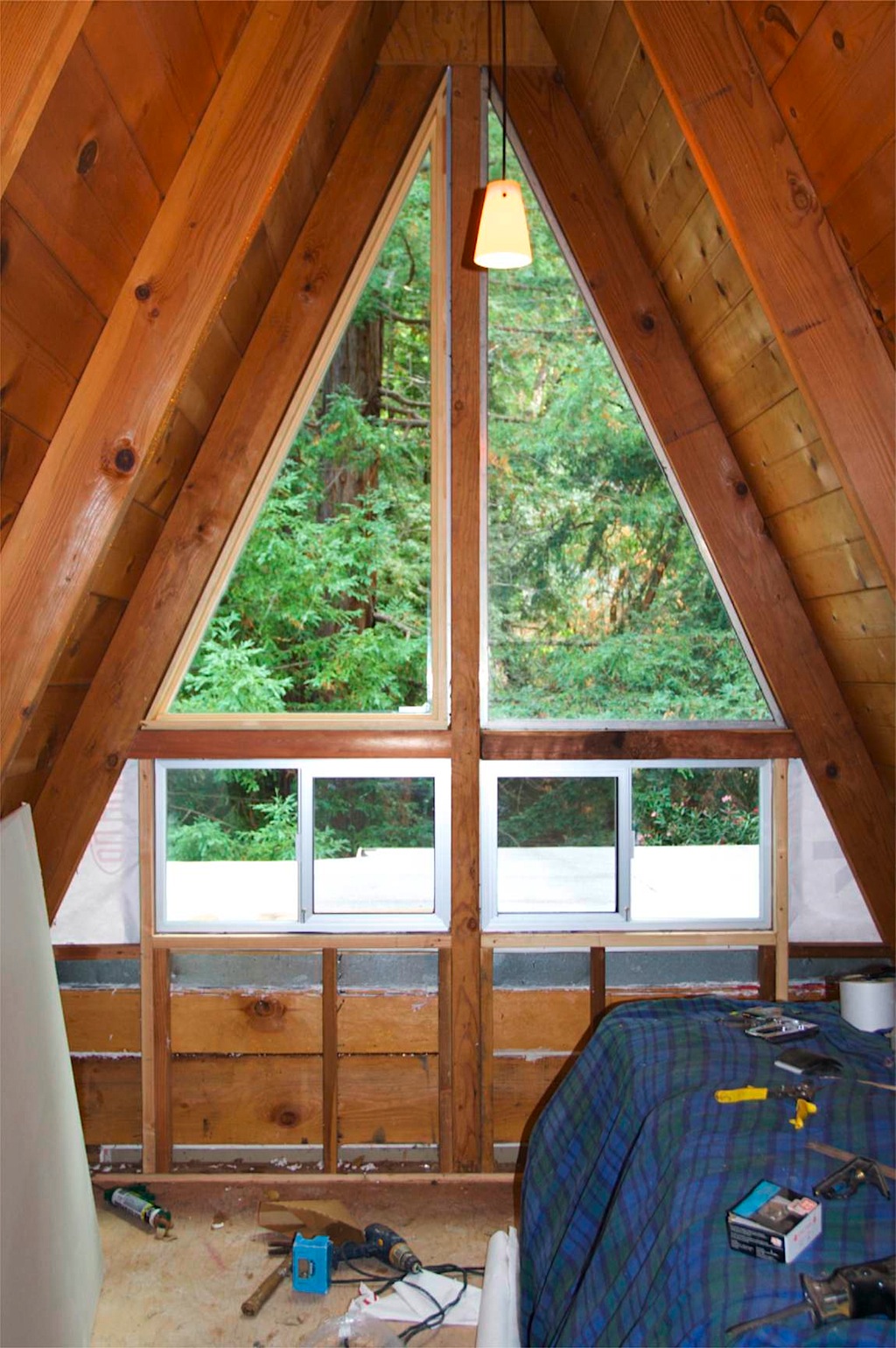
The back window was a single half-triangle. It look completely out of place and asymmetric, and because the windows didn’t open, it would get really hot and stuffy in the room. So, I framed out an opening for another half-triangle, and two lower windows that would open:

IMG_0823.jpg

Here’s the same wall with the windows installed:

IMG_0928.jpg

Unfortunately, the new window (on the left) didn’t have the same frame; it was wooden, and is all they offered. I had to end up building a matching wooden frame for the old window.

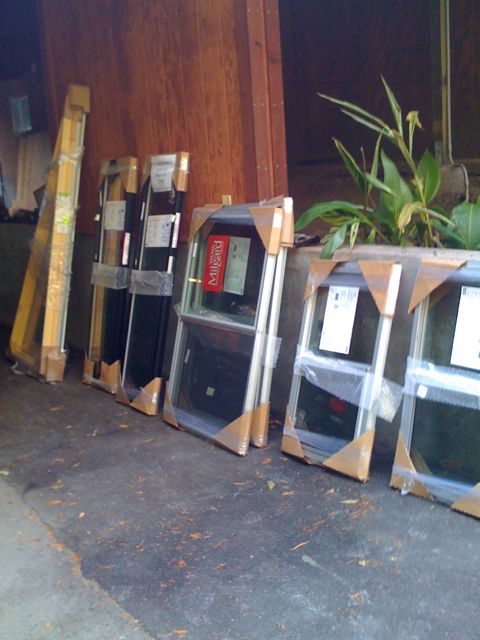
The other half of the upstairs already had matching triangle windows, but the windows underneath were slat-opening. They are horribly energy inefficient, and two of the four didn’t open. I removed them, and you can see the replacements waiting for me to put them in:

IMG_0919.jpg

Finally, there were two more opaque windows that didn’t open. One was cracked, and the other one I accidentally cracked while messing with the drywall by it, so we had to get some new ones. We went with vertically opening ones, but the main problem was installing them. There wasn’t quite enough space to use the latter, so I had to drop a climbing rope from the chimney and hang from it to install the windows. The hardest part was lugging back up the 3/4 plywood and nailing it back on (all, by myself!). It was a nightmare to do, and the project isn’t 100% done, as I still have to put trim around the windows.

IMG_0933.jpg

Before the siding went up:

IMG_0937.jpg

Anyways, I’ve been doing the drywall work, and starting to tape and mud.

Wedding Boxes

Monday, September 22nd, 2008

I recently went to the weddings of a few of my friends. Last weekend Tom and Nancy had a “Wedding Camp” celebration, and two weeks ago Andy and Irene got married in their barn. Both weddings were amazing, and Louise and I were very happy to be there with our friends.

In the pursuit of avoiding standard gifts, I decided to employ my woodworking skills and make them some boxes out of “nice” wood. Here’s some pictures of the building process.

I used cocobolo wood for the top; it is an exotic hardwood. I try to avoid exotic woods for obvious eco-reasons, but I just couldn’t help myself. The wood is beautiful, and I had seen it several times at the Global Woodsource store and just had to buy a piece. It is expensive, and I bought a small $60 piece.

IMG_0727.jpg

The bottom of the boxes is made out of an american wood — sycamore. When quartersawn, it has a beautiful speckled pattern. Best of all, it is a cheap wood, and $20 bought me a nice huge piece of wood.

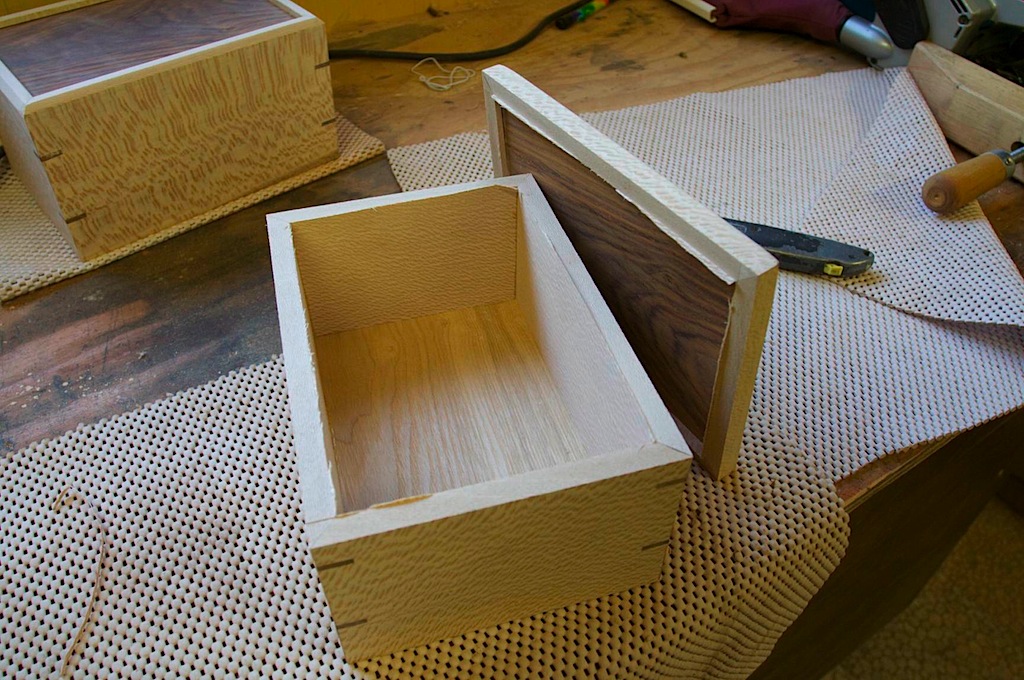
Here’s a shot of the boxes in progress:

IMG_0703.jpg

After gluing them together, I used my newly built router table to route out some slots for keys:

IMG_0739.jpg

A few hours later, the keys were glued in and dried. I cut them off with a saw and sanded them smooth:

IMG_0741.jpg

Next the top was cut off the boxes using the table saw. I don’t cut them all the way through, and leave a tiny bit on (seen in the photo) that I cut through with a utility knife.

IMG_0746.jpg

After a bunch of sanding, I finished the boxes with a eco-friendly water-based finish (sprat on):

IMG_0787.jpg

The keys are actually centered from top to bottom, but it would have looked better if I centered them up to the chamfer on the top.

IMG_0797.jpg

At twin peaks

Sunday, September 14th, 2008

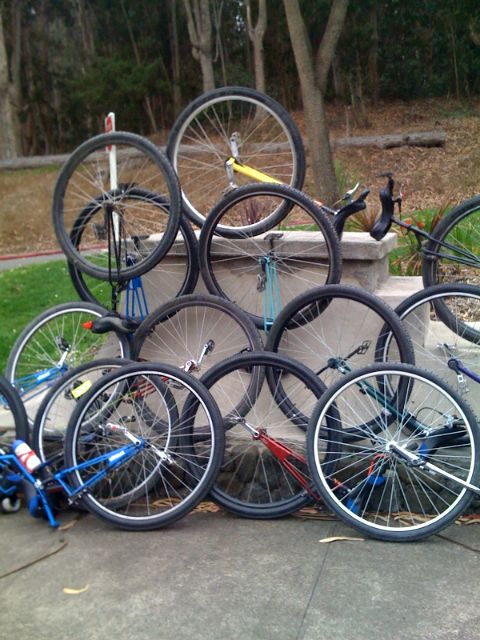
20 unis

Sunday, September 14th, 2008

San francisco uni ride

Sunday, September 14th, 2008

Right now! 40 miles

SPORE

Friday, September 12th, 2008

I got a new video game for the Mac – spore! I really wanted to give it a try last night, but my DVD drive stopped working on my MacBook Pro. Luckily, there are known hacks posted on the web for how to turn on the “Remote Disk” sharing that was added for the MacBook Air. This let me install it at working using one of the DVD drives on one of my other machines. I would have done it at home, but the two other Macs at home are still PPC running Tiger.

Photo 17.jpg

Why the API? NSTableView -preparedCellAtColumn:row:

Thursday, September 11th, 2008

I think I’ll do a few articles on why certain API was introduced in Leopard.

I’ll start with one of the new methods in NSTableView:

/* Returns the fully prepared cell that the view will normally use for
 drawing or any processing. The value for the cell will be correctly set,
 and the delegate method 'willDisplayCell:' will have be called. You can
 override this method to do any additional setting up of the cell that is
 required, or call it to retrieve a cell that will have its contents properly
 set for the particular column and row.
*/
- (NSCell *)preparedCellAtColumn:(NSInteger)column row:(NSInteger)row;

What is this method and what is it useful for? There are many reasons why it is useful, and they all are based on this fact: *all* of NSTableView’s operations that involve a cell at a particular row/column will be filtered through this method. Previously, NSTableView would have various internal methods and ways of obtaining the cell and there was no single spot where everything filtered through. Now there is.

This means:

1. You can acquire a “fully prepared” cell that is ready to draw — either in the NSTableView itself, or somewhere else. Somewhere else? Yes — an example where AppKit does this is for expansion tool tips, which draw in a separate tool tip window and in a view that is not actually an NSTableView. You might also want to access the “fully prepared” cell to generate a drag image when you override:

- (NSImage *)dragImageForRowsWithIndexes:(NSIndexSet *)dragRows
	tableColumns:(NSArray *)tableColumns
	event:(NSEvent*)dragEvent
	offset:(NSPointPointer)dragImageOffset;

2. You can override the method to modify the cell. Think about this in a simple way, and it means you could easily bold odd rows without having to use -willDisplayCell:. Depending on how your code is setup, it might make more sense to do this work in the view, as opposed to the controller (via the delegate).

3. You can return an entirely different cell. Let’s say you want to have one cell that doesn’t change for one particular row; well, you can just always return that same cell, and it will always be used. You might want to do this if that particular cell has some sort of important state (such as an animation), which you don’t want to have to keep resetting or managing. Another example is for showing highlighting when you mouse over the cell.

Take this example from WWDC that I wrote a few years ago: PhotoSearch. Look at TrackableOutlineView.m, and you’ll see that the cell which is being tracked (ie: mouse is over it), is always returned from preparedCellAtColumn:row:. This was important from an abstraction perspective; the cell will get a single -mouseEntered: from the tracking area, and the same cell will eventually get a -mouseExited: — this allows the cell to set and maintain its own state, without forcing the delegate or NSTableView to save off the state and always reset it at draw time.

Why does this demo copy the cell, and not just use the single cell that is shared from the [tableColumn dataCell]? I mean, if the cell gets a mouseEntered:, and the tableView redraws *just* that cell, then things will work out fine, right? Yes — but if something else triggers any other row to redraw, then your tracked cell will be used, and it currently has the wrong state in it. That would be bad, and it would draw the wrong thing.

4. Another reason this method is useful is for type selection. When you type select, and NSTableView is attempting to find a row, it can acquire a fully prepared cell (including setting the stringValue, calling -willDisplayCell on the delegate, and setting up bindings). The stringValue of the cell can then be compared for type-selection to find a match. But, you wonder, isn’t that doing too much work for just matching on the string? Yes — for any decent sized table, you should implement this delegate method to directly return information from your model:

- (NSString *)tableView:(NSTableView *)tableView
	typeSelectStringForTableColumn:(NSTableColumn *)tableColumn
	row:(NSInteger)row;

5. Finally, another reason for the API; there is no easy way to know what the value of a cell will be if you are using bindings. Now, you can find out by using this method, since it will fill the cell’s content with bound values (if there are any).

Anyways, my first entry of “Why the API”. More to follow…hopefully.

Installing windows again!

Thursday, September 11th, 2008

No not 3.1 or Xp.

Good coffee in MN

Saturday, September 6th, 2008

Mmmm coffee!


(c) 2008-2009 Corbin Dunn

Corbin’s Treehouse is powered by WordPress. Made on a Mac.

Entries (RSS) and Comments (RSS).

18 queries. 0.328 seconds.