The Fastest Way to Flatten Slabs + YouTube Analysis
Last week I made a new video about flatting slabs of wood on the CNC, called The fastest way to flatten slabs on the CNC!
I think this is a great video: it’s relatively short and teaches people how to do something in a way that I think is the fastest way to do it.
The Thumbnail
Let’s first talk about the video fluff, before the actual content. I did a bait-catchy title, and an A/B test to find out what title and thumbnail might get the best clicks:
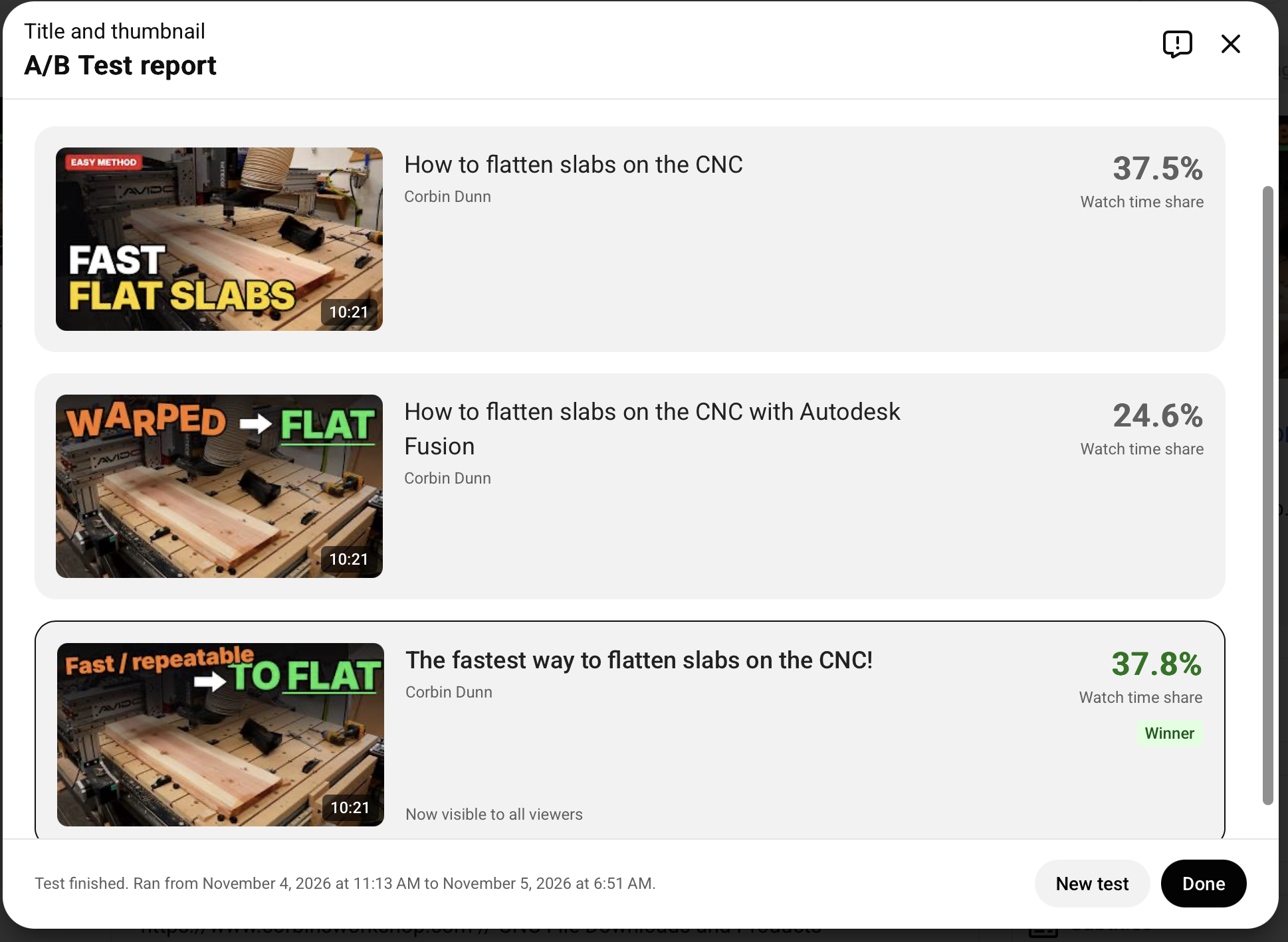
The third thumbnail/title won, and I think it was more about the title claiming to be the fastest way to do something.
I generally create three thumbnails and three titles for each video I make. Lately, I have been feeding my paid-AI of choice (Claude – $20/month) a few photos from my project and some information, and have it generate a thumbnail from those.
People say they use “AI” for things…but these days that is such a generic term that I have no real idea what they are actually doing. So, here’s specifically what I’m doing.
I pay for a Claude subscription at $20/month — specifically for Claud Code, which I’m using a lot for my VBit Inlay Autodesk Fusion Plugin to create inlays and VCarve stuff in Fusion instead of Vectric VCarve. It has saved me enough time to easily warrant the cost. I had zero unit tests before I subscribed to Claude Code, and after subscription I can easily generate a unit test to verify things works. This gives me so much more confidence in any changes I make, and it can quickly test regressions. Now, when people report a bug, I can take their Fusion file and write a regression test for it, to make sure I fix it, and it always stays fixed. I’m also utilizing it to write new features; algorithms for things that are fairly well understood, but with a software engineering mind I can guide Claude to do things in a way that is good (or so I think).
I use the Claude.app installed on macOS; I don’t use the web app, and I don’t use the CLI. I’m no stranger to the command prompt, but I feel like GUI’s are better way for humans to organize information, and Claude’s UI is pretty darn good.
So, in Claude my first prompt was:
This is the closed captions for a new YouTube video on CNC woodworking about how to flatten a slab. Attached are two photos from it; create three good thumbnail options and catchy titles for the video.And after it came up with something, I asked it to make them editable:
Make all these editableThe editable state is like some sort of WYSIWIG HTML editor, and I slightly tweaked some things and deleted extra text that seemed unnecessary.
The Actual Video
The content is somewhat controversial, as a lot of people have their own methods for flattening slabs, and they always think their way of doing it is the best.
A lot of people like using Vectric VCarve, and it is definitely one of the most popular CNC design and toolpath programs out there, but I prefer Autodesk Fusion for most all my work. But, like a lot of people, I was using VCarve for most my slab flattening, as it isn’t too difficult to create a new project, set the dimensions, create a vector around my rectangular dimensions, and then setup a “pocket” toolpath for that vector. It’s not at all hard, but it is a lot of steps. VCarve isn’t parametric, so you can’t create vectors that dynamically change size based on the project dimensions (at least, I haven’t figured out how to do it — I’m sure this will be added at some point).
Autodesk Fusion is an incredibly parametric CAD design program. Nearly everything can be parameterized, including the toolpaths and stock sizes. This means I can create three simple parameters as variables: the width, length, thickness and stock_thickness. Once you have a file setup, and it is very fast to create the file, as I demonstrated in the video, you can just re-use that for any slab flattening ever quicker than you could create the design in VCarve.
Several people are very adamant that this is difficult to do or a waste of time (note: I’m not trying to diss this person; I’m just further discussing what we were commenting about on YouTube):
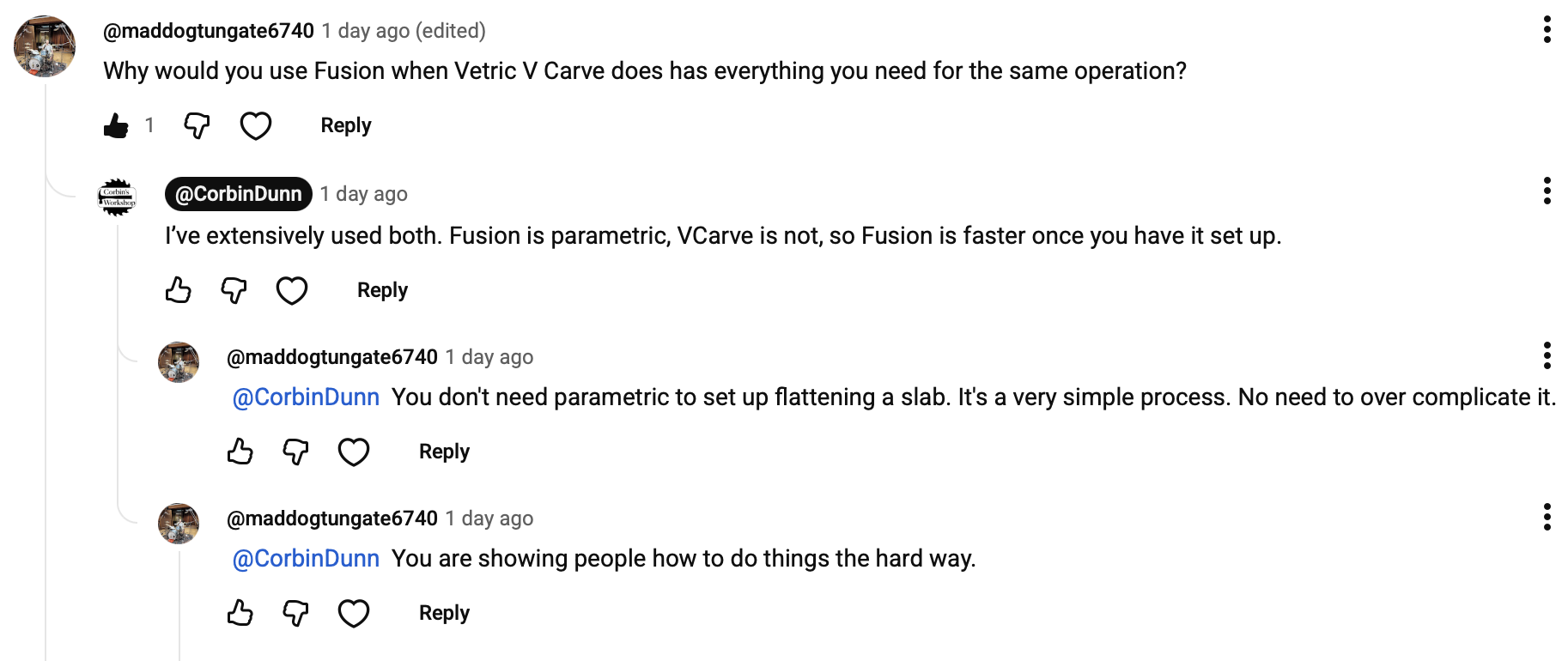
If you don’t understand Fusion, then yeah, it’s going to be hard to do. VCarve is easier to understand — there is no doubt in that — but it isn’t necessarily faster or harder. If you are a CNC woodworker who is more familiar with VCarve, then you should continue to use it over Fusion. Don’t learn a complex program like Fusion just for flattening slabs, but there are a lot of reasons why Fusion is better than VCarve for other operations.
The second semi-controversial part was where to set your CNC’s Z-zero, and there are only two choices: the stock bottom (aka: the spoilboard, or the material bottom) or the stock top (aka: material top). I advocate using the stock bottom as your z-zero in nearly all CNC operations. It gives you more consistency and repeatability.
When using the stock bottom: You will 100% guarantee your material will become the exact thickness that you have modeled up. You can then use this known value for everything else: as the new stock thickness when flipping it over and machining the other side, or as just the known material thickness for everything else you are going to do with that piece of wood (ie: make it into something!)
You get more consistency, because you will be touching off your z-zero at the exact same spot on your spoilboard each time you change your bits. In face, if you don’t change your bit, you don’t have to touch anything off at all when you are doing another slab of a different thickness, or taking off more material on the existing slab. You will save time by doing this.
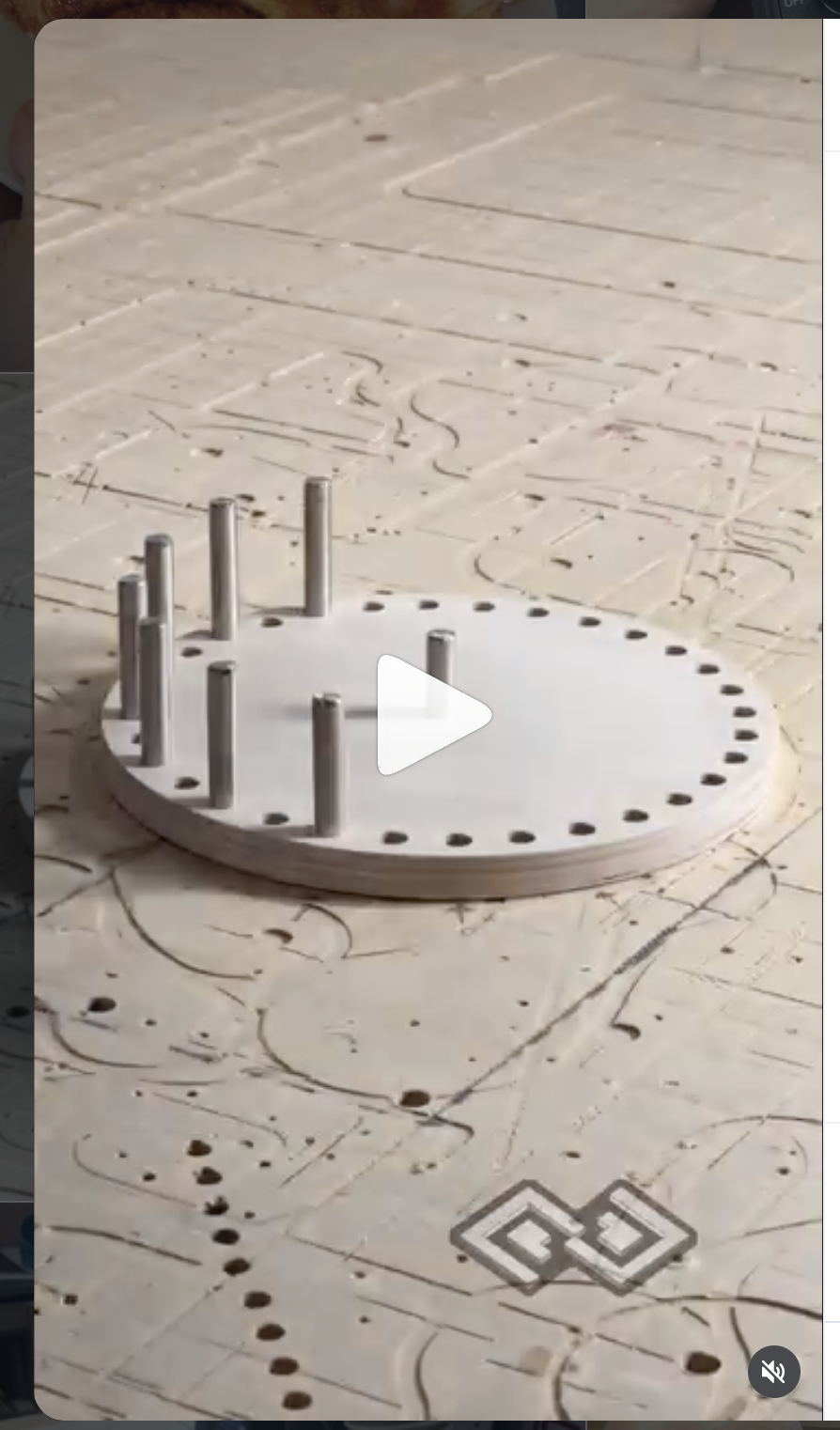
I can also instantly tell who uses the stock top as their z-zero by looking at their spoilboard. It’ll be full of over cuts and look like a mess of holes and lines from cutting deeper than was necessary. This mean you will have to more regularly surface your spoilboard back to a clean state.
The photo on the right is an example of this, and is from @petesquared23’s instagram. I’m in no way trying to make fun of Pete – he does incredible work and is a smart guy – but he should start using the stock bottom as his z-zero to avoid having to regularly resurface the spoilboard.
A lot of people end up over cutting into their spoilboard just to make sure they cut all the way through their piece. If you use the spoilboard as your z-zero, then you will just kiss the surface of your table and not cut into it.
People tend to use the stock top for everything because they are used to what Vectric VCarve sort of pushes users to do. VCarve’s toolpaths are a top down approach: everything has a “start depth” and “final depth” for cutting. So, if you want to take some material that is 1″ thick, and machine it to be 0.75″ thick, you have to do some math: cut down to a depth of 0.25″. This is an easy example, but as soon as you start throwing in 1/32″ or a stock_thickness (material) that is 1.525″ thick you start to create math that isn’t as easy to quickly do.
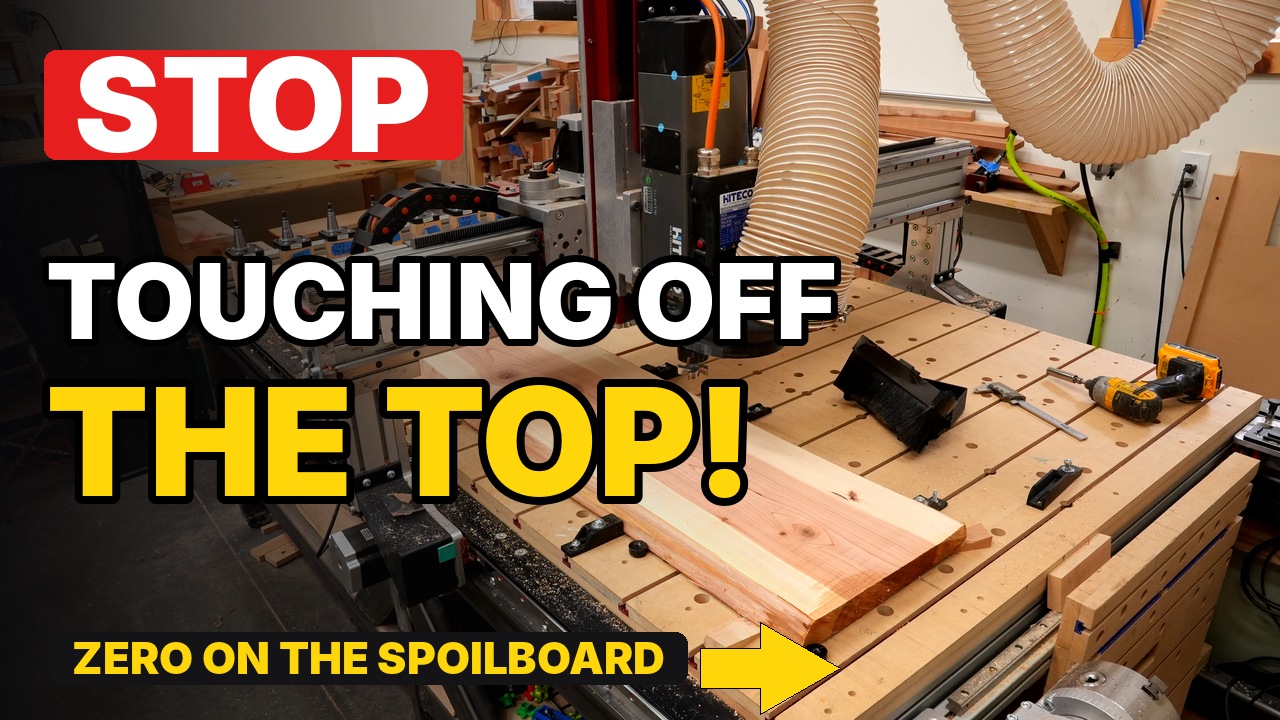
One of my original thumbnail image ideas was this, and I may have to make a video just about this topic:
Another comment I saw was about people who use the “stock top” and just reset their z-zero a little lower to re-surface again. Again…once you start doing this, you really have no idea what your final thickness is going to be. Sometimes that doesn’t matter, but a lot of times it is incredibly important to know it. Dropping your z-zero a bit can also be error prone: how do you do it? Do you jog to your current z-zero…somewhere away from your workpiece because you’d hit it it if you don’t… then lower it down by the amount you want to cut (ie: 0.100″) via jogging or the MDI, and then reset your zero? Or do you somehow go to your current G54 offset and manually edit what it should be (not all CNC control software even allows you to do this). Or do you use the MDI to do it via GCode commands? You can do it in all these ways, but I’d contend that it isn’t very fast, and has quite a bit of human error that could cause problems. Simply re-posting your GCode from Fusion is way faster, more consistent, and less error prone. But alas…it’s hard to convince people that when they are used to doing things a certain way!